📚 New Tutorial: Interactive Menu Series - Control Breaks
Overview
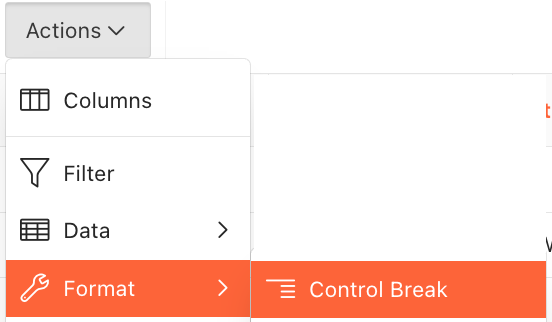
A new tutorial is now available in the Interactive Menu tutorial series, focusing on Control Breaks. This tutorial demonstrates how to use Control Breaks to group and organize data in reports and displays throughout the Ref Insight platform.
Tutorial Details
Interactive Menu: Control Breaks
Learn how to use Control Breaks to group items by selected columns, making it easier to analyze and organize information in any report or display that includes the Actions button.
What You'll Learn:
How to access and apply Control Breaks through the Actions button
Grouping data by single or multiple columns for subgroup analysis
Using Control Breaks in various areas including Assigning Workspace, Availability reports, and more
Combining Control Breaks with filters for refined data views
Temporarily disabling or removing Control Breaks
Saving customized reports with Control Break settings for future use
Key Benefits:
Organize large datasets into meaningful groups for easier analysis
View data hierarchies by applying multiple Control Breaks
Customize any report display to match your workflow needs
Save frequently used groupings as private reports for quick access
Tutorial Available
Access the complete Control Breaks tutorial in the Knowledge Base.
Access the Tutorial: Interactive Menu Tutorial Series - Control Breaks
Additional Resources
This tutorial is part of the Interactive Menu tutorial series. Explore other tutorials in this series to learn about additional customization options available throughout the platform.
Support
For questions about using Control Breaks or the Interactive Menu:
Review the comprehensive tutorial in the Knowledge Base
Contact support at support@refinsight.com
Happy organizing!
The Ref Insight Team