Enhanced Self-Assignment Indicators

Hello Ref Insight assignors!
We've implemented several improvements to make self-assigned positions more visible throughout the assigning workflow. These enhancements provide better clarity when managing assignments and releases.
What's New
1. Assigning Workspace Visual Indicators
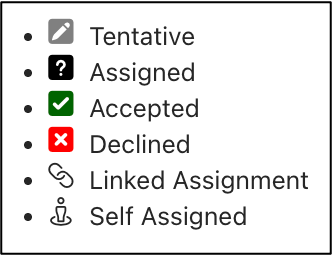
New Icon Display: Self-assigned positions now show a distinctive icon within the assignment cell


Updated Legend: The page legend now includes icons for both self-assigned and linked assignments for easy reference
2. Assignment Focus Enhancement
New Self-Assignmed Column: When a cell is selected in the assigning workspace, the assignment focus area at the top of the page now displays dedicated columns indicating the assignment status and if the assignment was self-assigned

3. Assignments Release Page
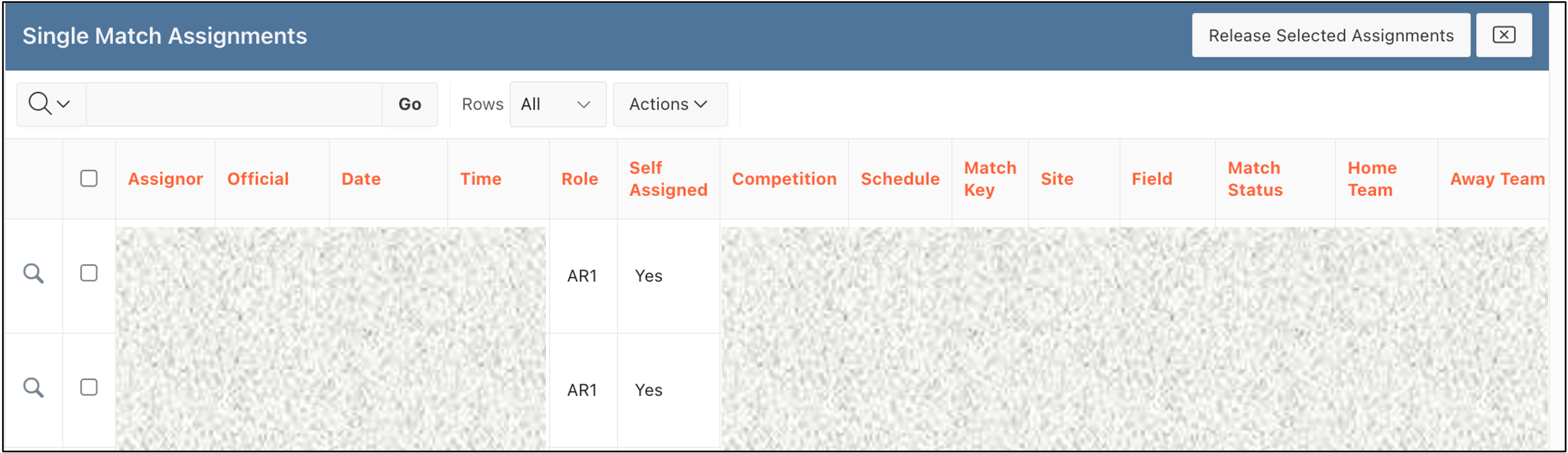
Self-Assignment Column: The assignments release page now includes a new column clearly showing which tentative assignments were self-assigned
Benefits
These improvements provide:
Immediate Visual Recognition: Quickly identify self-assigned positions at a glance
Streamlined Workflow: Better context when making assignment decisions
Enhanced Release Management: Clear visibility of self-assignments during the release process
These features are now live and available in your assigning workspace. No action is required on your part.
Questions? Please reach out to support@refinsight.com
Happy assigning!
The Ref Insight Team