🚀 New Tutorials: Self-Assign Functionality
Overview
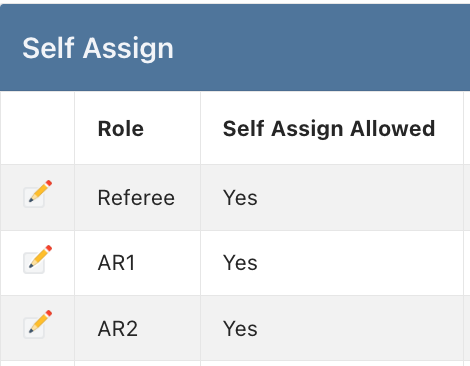
New tutorials are now available to help assignors and officials effectively use the self-assign feature. For assignors, there's a comprehensive guide on match designation and eligibility management. Additionally, the AI chatbot for officials has been updated with self-assign guidance and links to tutorials - information we're sharing here so you can direct officials to these resources when needed.
For Assignors
Self-Assign Match Designation and Eligibility Settings
Learn how to designate matches for self-assignment and configure eligibility settings to control who can claim these assignments.
What's Covered:
Controlling self-assign daily maximums per official
Designating specific matches for self-assign
Designating specific matches for exclusion from self-assign
Setting eligibility criteria for self-assigned matches
Establishing role-specific eligibility rules
Managing pool restrictions and requirements
Configuring default assignment status
Access the Tutorial: Self-Assign Match Designation and Eligibility Settings
For Officials - Resources Now Available
The AI chatbot for officials has been updated to provide guidance on self-assign functionality and links to the relevant tutorials. We're sharing these resources here so assignors are aware of what's available and can direct officials to these tutorials if asked about self-assigning.
1. Find and Select Matches for Self-Assign
A comprehensive guide for officials on locating and claiming available self-assign matches.
What's Covered:
Viewing available self-assign matches
Using filters to find suitable assignments
Understanding eligibility indicators
Selecting and confirming self-assignments
Checking assignment status
Managing multiple self-assignments
Officials Tutorial: Find and Select Matches for Self-Assign
2. How to Cancel a Self-Assigned Match
Instructions for properly notifying assignors when an official needs to turn back a tentative self-assignment.
What's Covered:
Locating pending self-assigned matches
Initiating the cancellation process
Providing cancellation reasons
Understanding the turnback workflow
Confirming cancellation status
Best practices for communication with assignors
Officials Tutorial: How to Cancel a Self-Assigned Match
Key Benefits of Self-Assign
For Assignors:
Distinct icon in the assigning workspace for self-assigned matches
Self-assign column in reports for filtering, sorting, grouping
Reduce time spent on routine assignments
Allow officials to manage their own schedules for designated matches
Maintain control through eligibility settings
Focus on assignments requiring manual attention
For Officials:
Greater scheduling autonomy
Immediate assignment confirmation for eligible matches
Flexibility to select preferred locations and drive times
Clear process for cancellations when needed
Implementation Notes
Self-assign features work within existing assignment rules
All standard validation checks remain active
Assignment history and reporting include self-assigned matches
Turnback notifications sent to assignors
Getting Started
Assignors should review the designation and eligibility tutorial to properly configure matches for self-assignment
Officials can access self-assign guidance through the AI chatbot or the tutorials directly
Assignors can refer officials to these resources when questions arise about self-assigning
Support
For questions about self-assign functionality:
Direct officials to the AI chatbot for immediate assistance
Contact support at support@refinsight.com
Happy assigning!
The Ref Insight Team