🆕 New Assigning Rule: One Site per Day (within Competition)
Release Date: Wednesday, August 11, 2025
Affected Users: All Assignors and Admins
Feature Type: Assigning Rules Enhancement
Overview
We've added a new assigning rule to the Ref Insight rules library: "One Site per Day (within Competition)". This rule helps maintain efficient tournament operations by keeping officials at a single venue throughout each day of competition.
What This Rule Does
The "One Site per Day" rule keeps officials from being assigned to different sites on the same day within a competition. This ensures:
Officials remain at one location for the entire day
Reduced travel time for officials
More efficient tournament operations
Better official availability for back-to-back games at the same venue
Best Use Cases
This rule is especially useful for:
Multi-site tournaments - Keep officials at their assigned venue all day
Events - Streamline official assignments across multiple locations
Note: This rule works best when applied to specific competitions rather than as a global assigning rule.
How to Enable This Rule
Navigate to the Competition
Go to the specific competition where you want to apply this rule
Access Schedule Resources
Click on "Schedule Resources"
Find Assigning Rules
Expand the "Assigning Rules" section
Select the Rule
Double-click on "One Site per Day (within Competition)" to select it
Configure Application
Select which schedules the rule should apply to
Choose which roles should be affected by this rule
Click "Save Rules" to activate
How Violations Appear
When this rule is active and an assignment violates it:
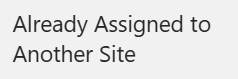
The conflicting assignment will be highlighted in pink
The violation reason will display: "Already Assigned to Another Site"
You'll immediately see which officials are affected
Override Capability
Flexibility when you need it: Assignors retain the ability to override this rule when necessary. If special circumstances require an official to work multiple sites in one day, you can still make that assignment by overriding the violation. Override in bulk using the Bulk Justification icon in the Assigning Workspace.
Example Scenario
Tournament Setup:
3-day soccer tournament
3 different Sites (Sites A, B, and C)
50 officials available
With this rule enabled:
Official Smith assigned to Site A on Friday → Cannot be assigned to Site B or C on Friday
Official Smith CAN be assigned to any site on Saturday or Sunday
Keeps officials focused on one venue per day
Tips for Success
✅ DO: Apply this rule when setting up multi-site tournaments
✅ DO: Consider travel distances between sites when planning
❌ AVOID: Using as a global assigning rule
Questions or Support
Need help implementing this rule? Contact support at support@refinsight.com or reach out to your Ref Insight administrator.
This feature is now available in all Ref Insight accounts. No additional setup or activation is required.
Happy assigning!
The Ref Insight Team