🚀 New Tutorial Series: Interactive Menu
Overview
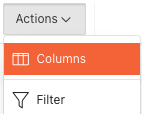
A new tutorial series is now available to help assignors and administrators leverage the powerful Interactive Menu features found throughout the Ref Insight platform. These menus provide extensive customization options for data appearance and organization through searching, filtering, sorting, column selection, control breaks, and other advanced options.
New Knowledge Base Section
Interactive Menu Tutorial Series
A dedicated Interactive Menu folder has been added to the Knowledge Base to house this comprehensive tutorial collection. Additional tutorials will be added as they are completed, with changelog announcements to keep you informed of new resources.
Currently Available Tutorials
1. Columns Tutorial
Master Column Management and Customization
Learn how to control which columns are displayed and customize your data view for optimal efficiency.
What's Covered:
Adding and removing columns from data views
Reordering columns for better workflow organization
Hiding unnecessary columns to focus on relevant data
Restoring default column configurations
Practical use cases for different column arrangements
Access the Tutorial: Interactive Menu Tutorial Series - Columns
2. Filters Tutorial
Advanced Filtering Techniques and Applications
Discover how to use filtering capabilities to narrow down data and find exactly what you need quickly.
What's Covered:
Setting up basic and advanced filters
Using multiple filter criteria simultaneously
Date range filtering for time-based reports
Saving and reusing frequently used filter combinations
Real-world scenarios where filtering improves efficiency
Access the Tutorial: Interactive Menu Tutorial Series - Filters
Key Benefits of Interactive Menu Fluency
Customize data views to match specific workflow needs
Quickly locate relevant information through advanced filtering and searching
Organize large datasets with personalized column arrangements
Create and save customized reports for future use
Interactive Menu Capabilities
The Interactive Menu system provides powerful tools for data customization:
Searching - Find specific information quickly
Filtering - Show only the data you need
Sorting - Flexible data organization options
Column Selection - Choose which columns to show
Control Breaks - Group related data together
Additional Options - Other customization tools
Coming Soon
Additional tutorials in this series will cover:
Data - Sort, Aggregate, Compute
Format - Control Break, Highlight, Rows per page
Chart
Group by
Download - formats available, and email or subscribe options (where available)
Each tutorial reviews how to Save Reports for future use.
Getting Started
Access the Knowledge Base and navigate to the new Interactive Menu folder
Start with the Columns tutorial to learn basic customization techniques
Continue with the Filters tutorial to master data narrowing capabilities
Apply these techniques in your daily workflow areas throughout the platform
Watch for announcements of additional tutorials as they become available
Support
For questions about Interactive Menu features:
Review the comprehensive tutorial series in the Knowledge Base
Practice with the step-by-step examples provided
Contact support at support@refinsight.com
Happy customizing!
The Ref Insight Team